AgentOS is an operator dashboard for running, observing, and shipping work from coordinated AI agent teams. It sits on top of the OpenClaw runtime and turns a single natural-language prompt into a complete software delivery pipeline: planning, coding, testing, verification, and deployment — with every handoff visible in real time.
This post walks through what AgentOS does, how it’s built, and the engineering decisions behind the stack.
The Problem AgentOS Solves
Single-agent LLM tools fail predictably on real software work. One model handling planning, coding, testing, and review at once produces shallow output, drifts off-spec, and offers no audit trail when something breaks.
AgentOS treats agents the way a real engineering team is structured: specialized roles, explicit handoffs, and verification gates. An orchestrator routes work, builders implement, a verifier checks the deliverable, and the operator sees every state change as it happens.
Core Capabilities
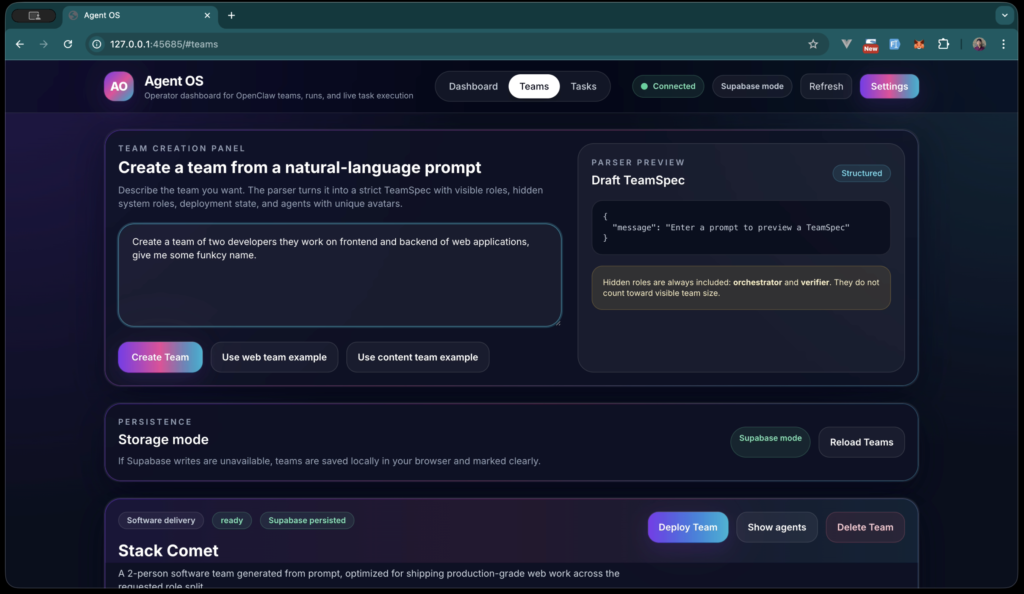
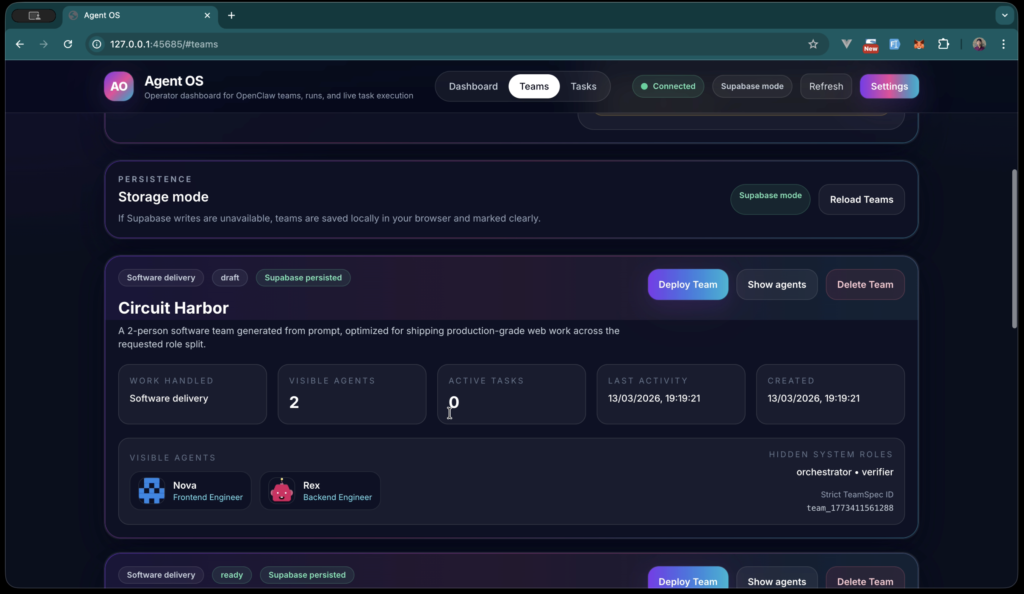
Natural-language team creation. Describe the team you want — roles, responsibilities, naming convention — and the parser produces a strict TeamSpec with visible roles, hidden system roles (orchestrator, verifier), and unique agent avatars. No YAML hand-authoring.
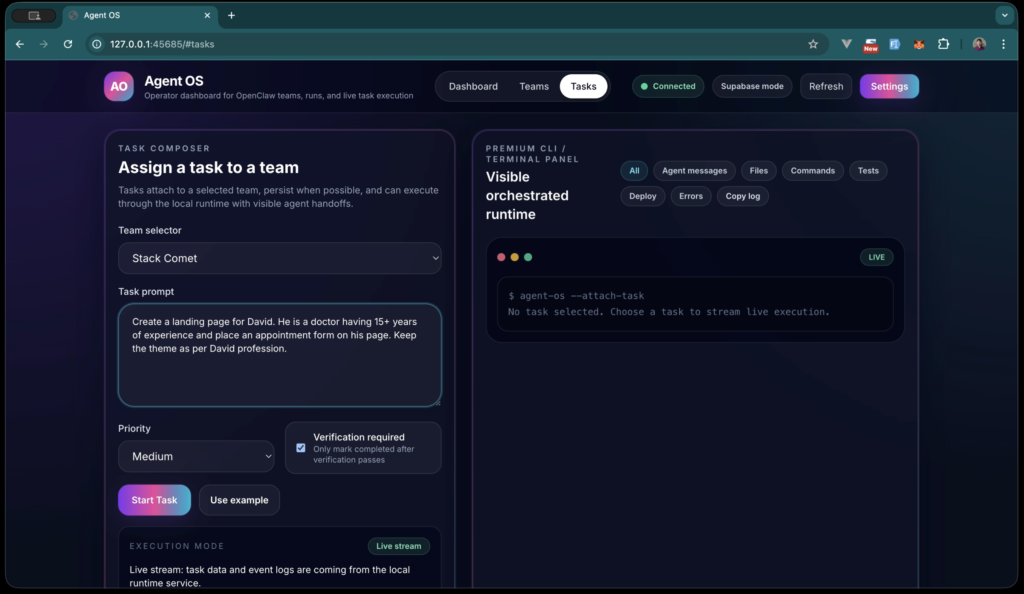
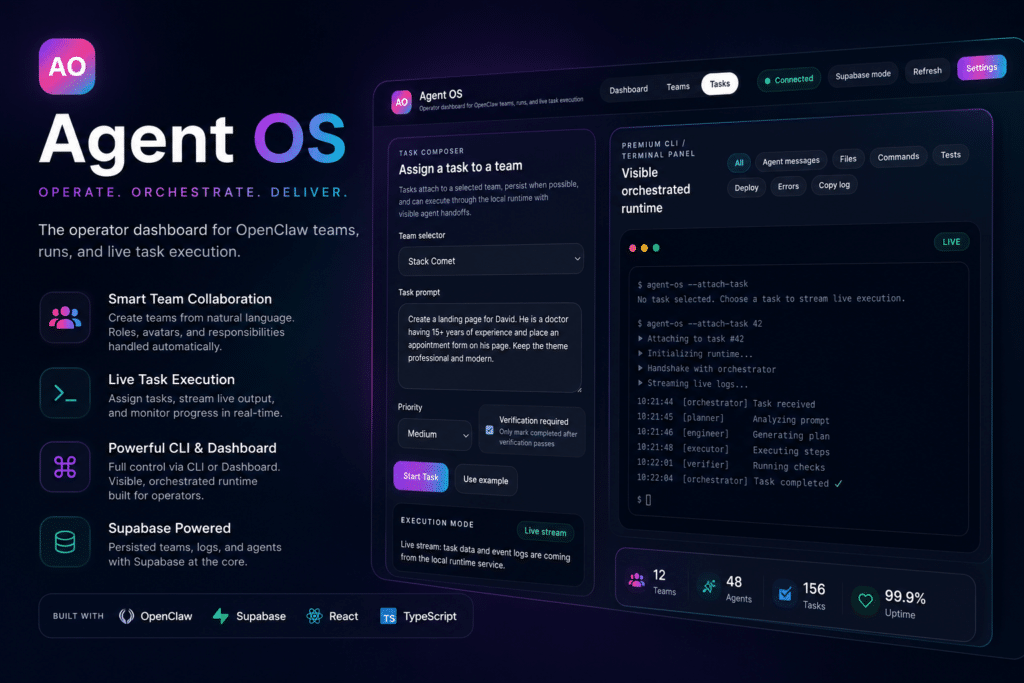
Task composer with priority and verification gates. Assign a prompt to a team. Tasks attach to a selected team, persist when possible, and execute through the local runtime. A verification toggle ensures tasks only mark complete after the verifier passes.
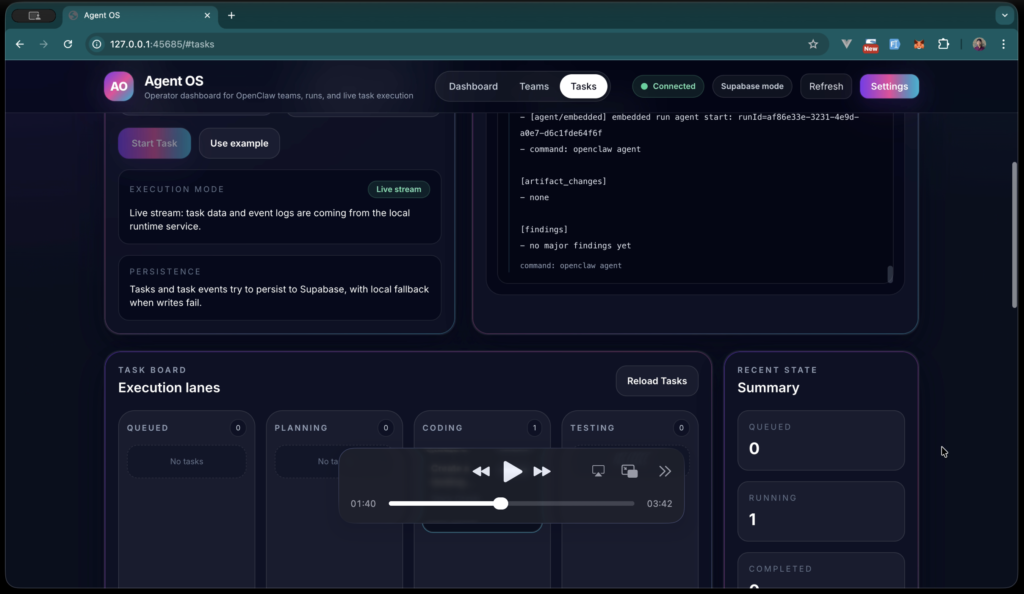
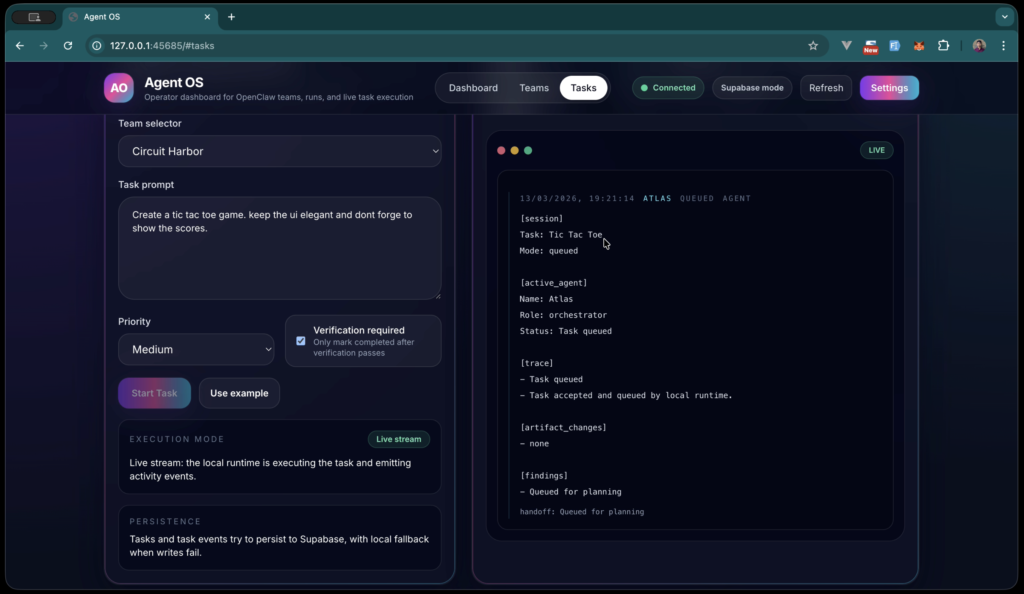
Live orchestrated runtime. A streaming terminal panel shows every agent message, file change, command, and test result as the run unfolds. Filter by agent messages, files, commands, tests, deploy events, or errors. Copy the full log when needed.
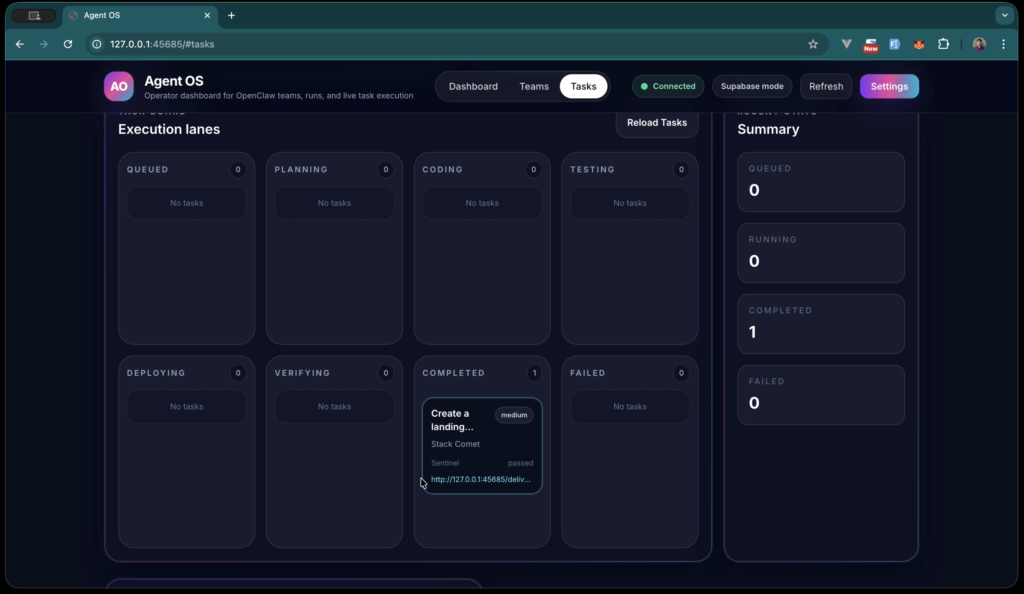
Execution lanes (Kanban-style task board). Tasks move through Queued → Planning → Coding → Testing → Deploying → Verifying → Completed (or Failed). Each lane shows live counts.
Verified deliverables with public preview URLs. When a task completes verification, AgentOS publishes the output to a local preview URL that’s instantly shareable.
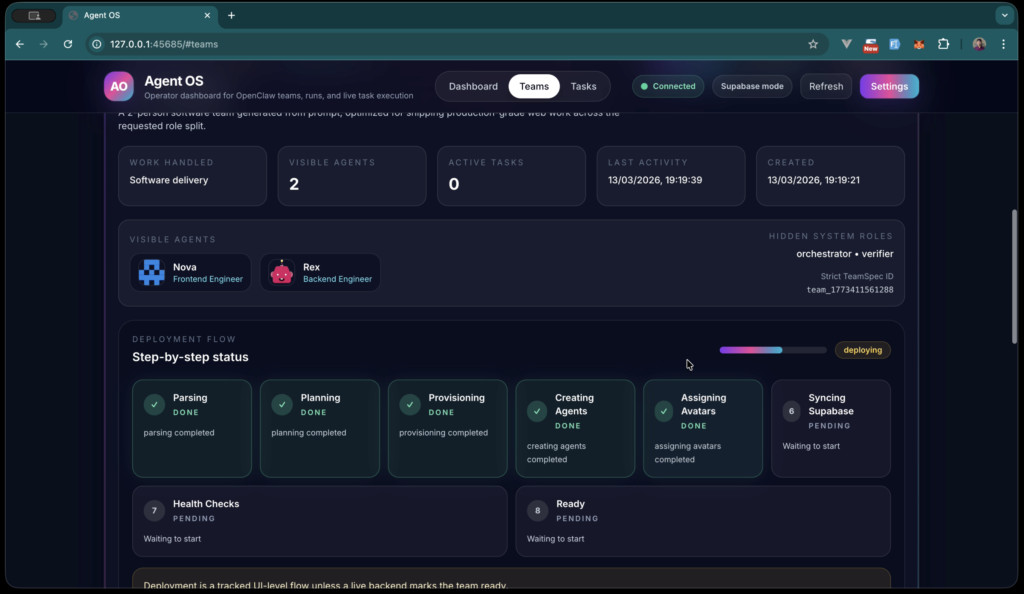
Persistence with graceful fallback. Supabase is the primary store; when writes fail, AgentOS falls back to local browser storage and clearly marks the difference. No silent data loss.
Tech Stack
| Layer | Choice | Why |
|---|---|---|
| Agent runtime | OpenClaw | Multi-agent orchestration with embedded run support, session files, and structured handoffs |
| Frontend | Vanilla JS + Alpine.js | Lightweight reactivity without framework overhead — the dashboard stays fast under heavy log streaming |
| Realtime + persistence | Supabase | For now used Supabase. |
| Local fallback | Browser storage | Tasks survive Supabase outages |
| Agent integration | Codex/GPT-5.4 via OpenClaw embedded agents | Specialized agent profiles per role |
| Companion | Kairo Slack bot | Bring orchestration into team channels |
Agent Architecture
Every AgentOS team contains visible roles (the ones you spec) and hidden system roles that always run:
- Atlas — Orchestrator. Receives the task, plans the breakdown, and delegates to the right builder. Owns task state transitions.
- Nova — Builder. Implements the deliverable. Handles file writes, command execution, and iteration.
- Sentinel — Verifier. Runs verification after the builder finishes. Confirms the deliverable matches the spec before the task can be marked complete.
A typical run produces a structured trace at every step:
[session]
Task: There is a Kite festival in central region...
Mode: coding

[active_agent]
Name: Nova
Role: builder
Status: continuing implementation

[trace]
- continuing implementation
- [diagnostic] lane dequeue: lane=session:agent:main:main waitMs=2

[artifact_changes]
- preview: verified URL published

[findings]
- verification status: passed
This trace is what makes AgentOS debuggable. Every agent decision, file touched, command run, and verifier finding is recorded and queryable.
What a Real Run Looks Like
Two examples from production use:
1. “There is a Kite festival in central region — build something to relate to the festival. Create a sky with 10–15 kites with wind effects and moderate movement.”
AgentOS routed it to the CrewX team. Nova built an animated landing page with 15 SVG kites, parallax cloud layers, and CSS-driven wind motion. Sentinel verified the deliverable. The completed task surfaced a preview URL — 127.0.0.1:45685/deliverables/there-is-a-kite-festival-in-cent-66e0ced1/ — rendering a polished “Kite Festival in the Open Sky” page with hero copy and animated sky.
Total wall-clock time: under four minutes from prompt to verified preview.
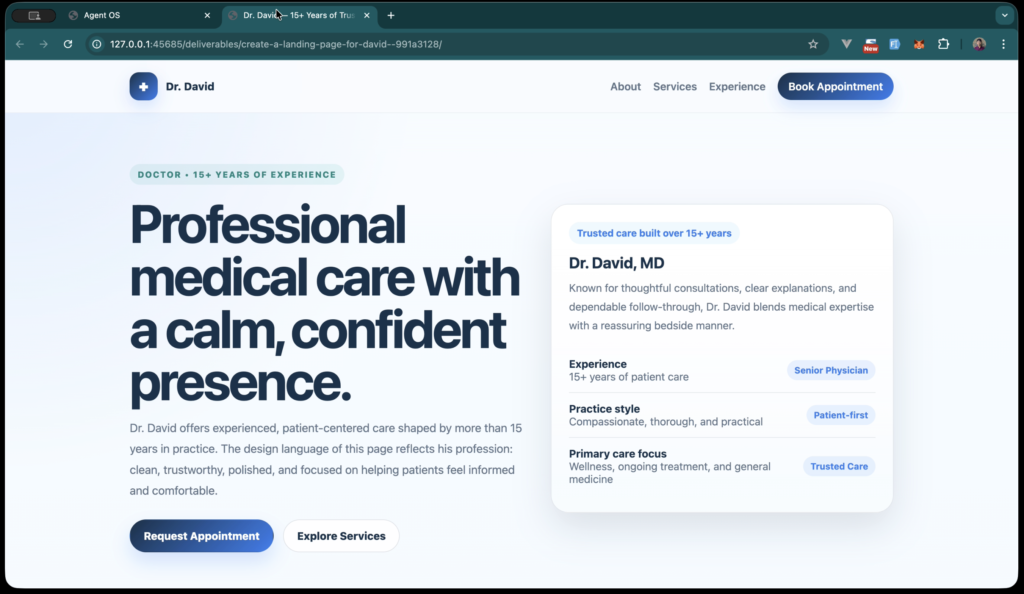
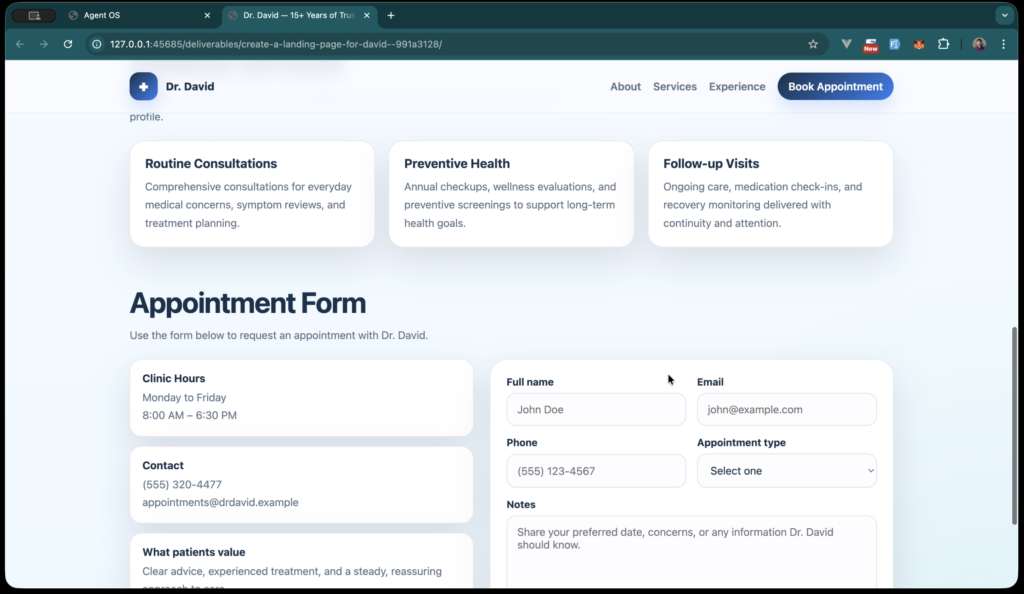
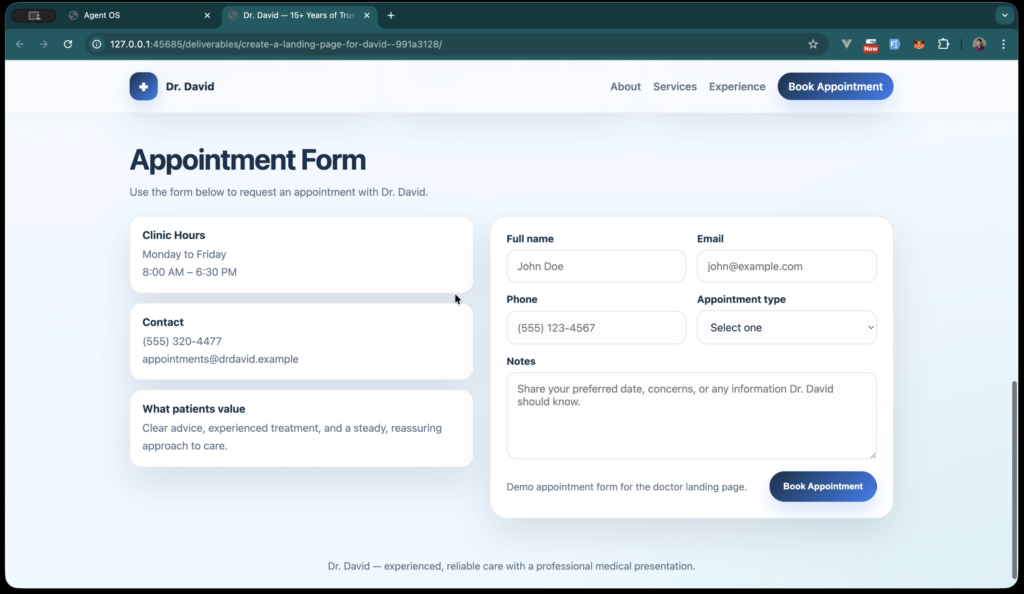
2. “Create a landing page for David. He is a doctor with 15+ years of experience. Place an appointment form. Keep the theme per his profession.”
The Stack Comet team produced a complete medical practice landing page: trust hero (“Professional medical care with a calm, confident presence”), services grid (Routine Consultations, Preventive Health, Follow-up Visits), and a working appointment form with name, email, phone, appointment-type dropdown, and notes — all matched to a clinical visual language.
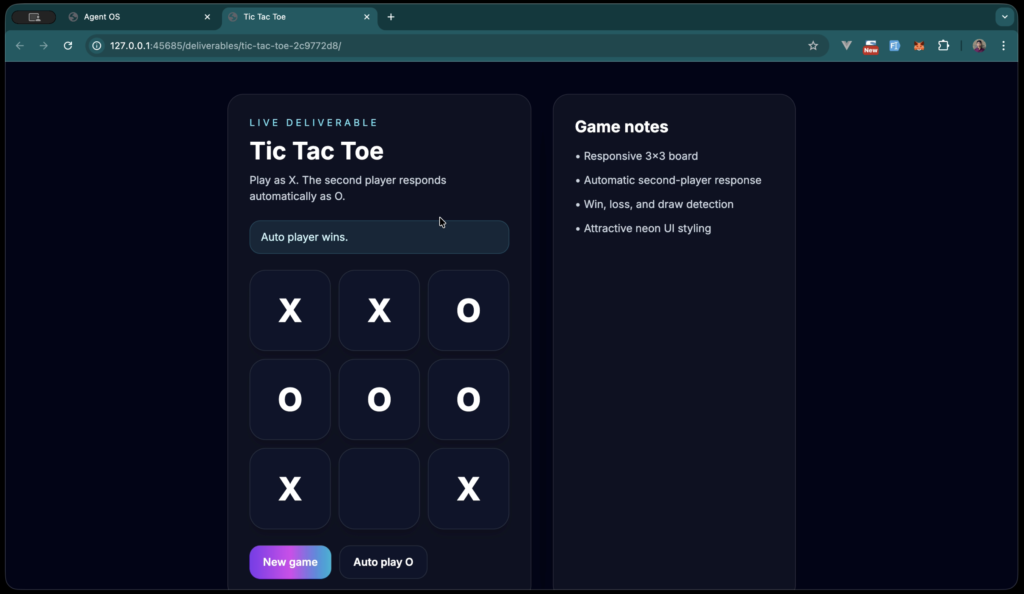
3. “Create a tic-tac-toe game. Keep the UI elegant and don’t forget to show the scores.”
Routed to Circuit Harbor. The Atlas orchestrator queued it, planned the breakdown, and handed off to a builder. The output: a responsive 3×3 board with automatic second-player response, win/loss/draw detection, and neon UI styling. Auto-play mode included.
Dashboard at a Glance
The operator dashboard exposes everything that matters:
- Connected teams — how many teams are loaded
- Active tasks — currently running
- Queued runs — waiting for capacity
- Deployments — teams marked production-ready
- Run throughput — task and team activity over time
- Persistence status — Supabase URL, mode, last sync, status detail
- Recent runs — execution queue
- System feed — load diagnostics (read-only)
Three primary views: Dashboard, Teams, Tasks. Each task surfaces title, active agent, current stage, latest status, handoff context, current file, last command, and latest test result.
Project Gallery
Screenshots and visuals from the project